Your day and your film, on one page.
FilmStation begins as a personal space: calendar, mail, tasks, notes and an assistant in one window. Open a project and the same place becomes a producer hub that walks you through every stage of a film.
Sign in with Google, nothing to install. We use your email only for the beta invite.
The HubEverything you open during the day, on one screen.
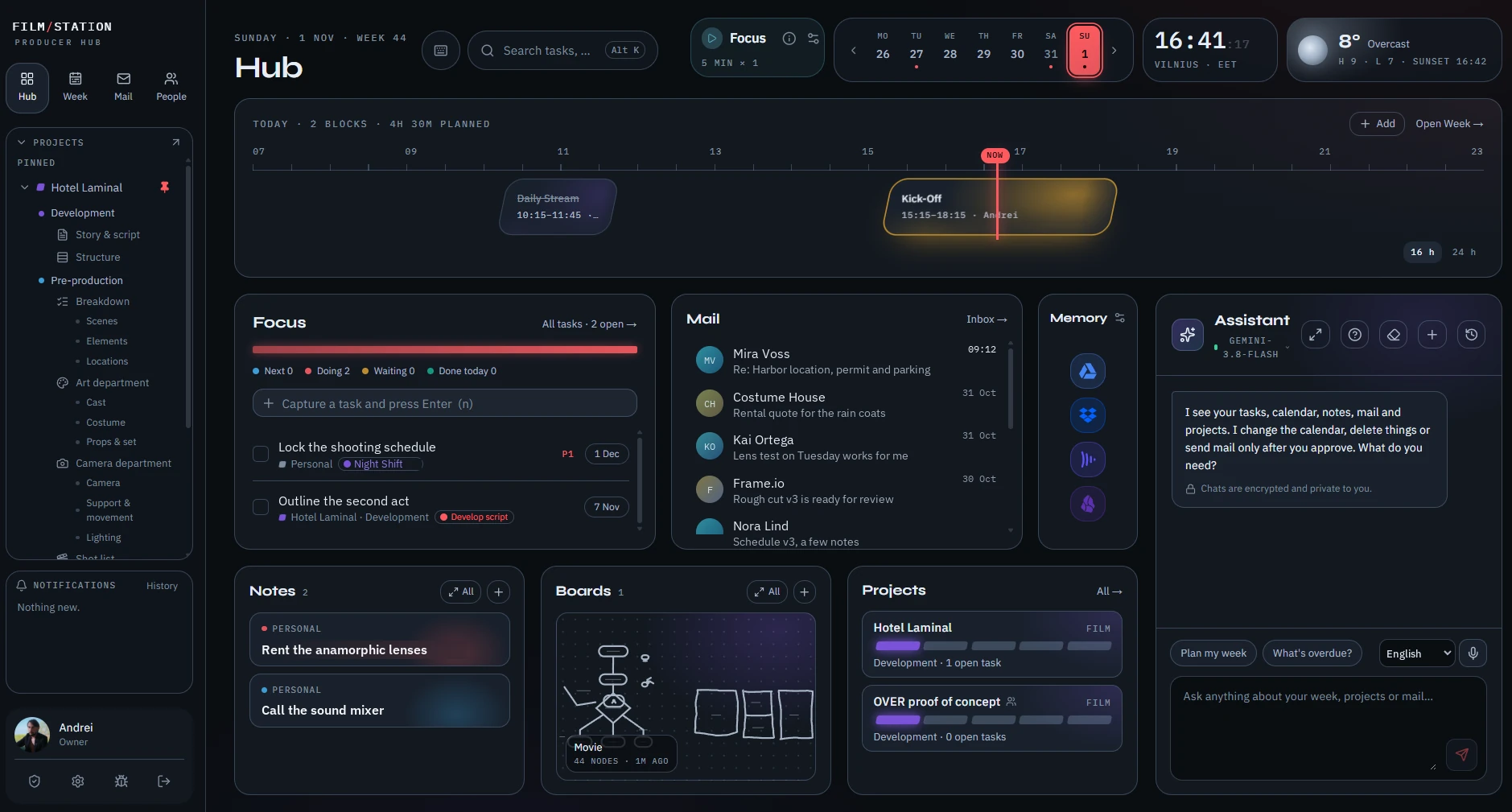
Every day I was gathering my work from different places. The calendar lived in one app, mail in another, files in a third. I built a platform for myself where everything I use in a day sits on one page, and the services I already rely on are connected to one environment. An AI assistant works beside me there. It keeps track of my calendar, mail, tasks and projects, helps me see what is slipping, and does what I ask in plain words: plans the week, finds a letter, moves a meeting.
But I decided to go further. I know how hard it is to organise a shoot and keep track of countless details, especially when you have no studio or staff behind you. So, drawing on my experience on set, as a post-production supervisor and of course as a producer, I decided to build a producer hub that helps filmmakers carry their projects from the first idea to festival submission.
AndreiFounder, One Film
A guide that knows the road from idea to premiere
Some of us went to film school and some of us learned on set. Either way, the path has more stages than anyone can keep in their head. FilmStation keeps them for you: every stage explains what it is for, checks what is ready and points to the next step.
It explains
Each stage opens with a short guide written for people who are doing it for the first time. Empty modules say what belongs there and why.
It checks
A gate at the end of each stage lists what must be true before you move on. Part of it ticks itself from your own data. If you go ahead with open items, FilmStation asks you why and keeps the answer.
It warns
Warnings come from your project, with a link to the place to fix them: a location still unconfirmed a week before the shoot, a scene rewritten after the plan was made, a budget line past its estimate.
Write the story. Then look at it from every angle.
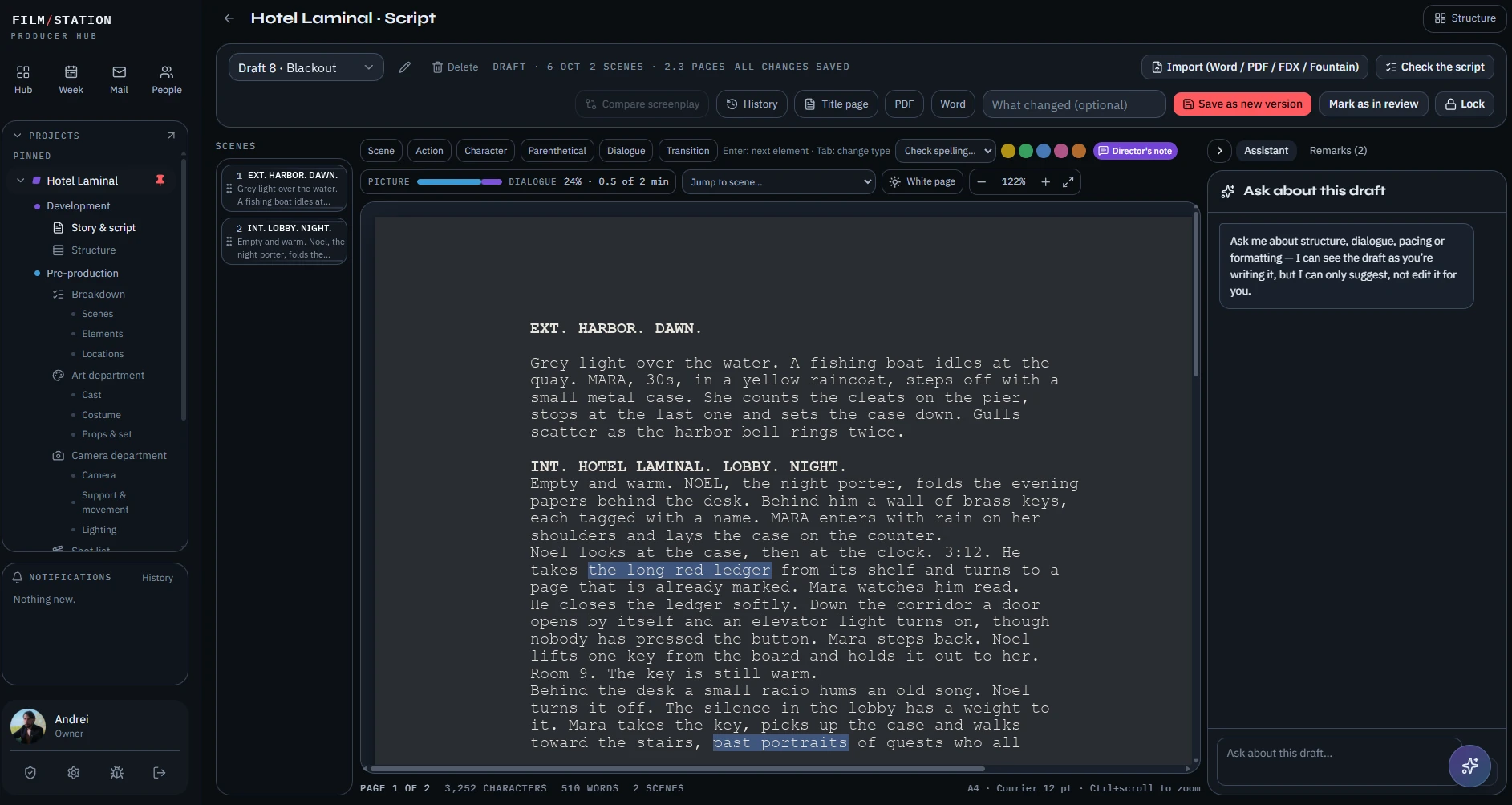
A full screenplay editor with versions, compare and lock, and import from Word, PDF, FDX and Fountain. Next to it, a structure board: the story laid out as cards on lanes and acts, readable through ten structures used in different schools and cultures, from the classic three acts to the hero's journey and beyond.
Characters carry a want, a need, a wound and an arc built on one of twelve archetypes, with a map of who meets whom. When none of the structures fits your film, you build your own and the board follows it.
One rail from the first line to the festival
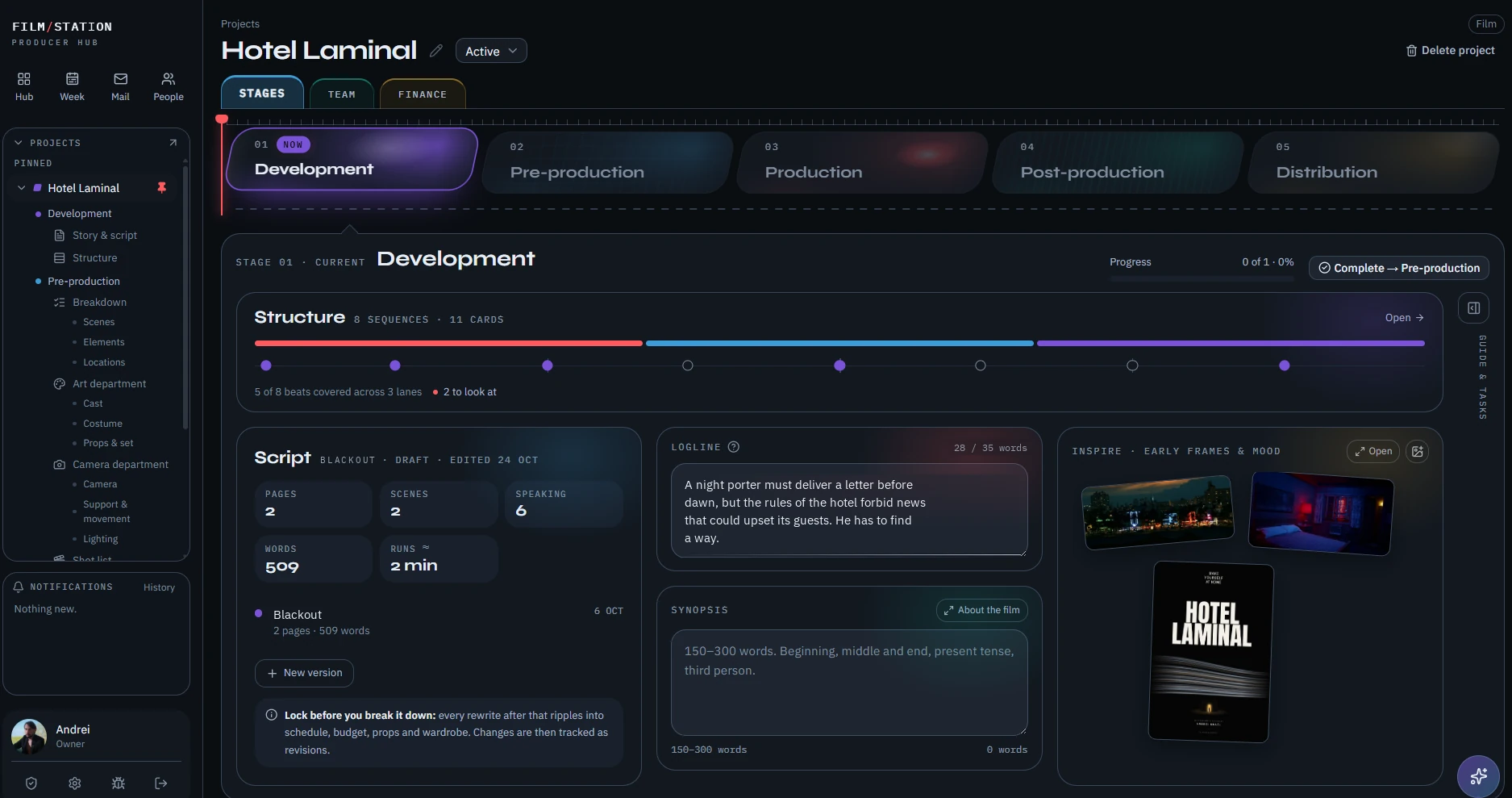
Invite your team into the project. Each person sees their own part and adds to it: the screenwriter works in the script, the cinematographer in the shot list and the camera department, the production designer in costumes and props. The stage rail shows everyone where the film is.
The breakdown starts from the script
Lock the draft and break it down scene by scene: cast, extras, props, wardrobe, make-up, vehicles, effects. The assistant proposes what it reads in the text and you confirm. Every element keeps its scene number, so a rewrite shows exactly what it touches.
Departments with their own pages
The art department keeps cast profiles with sizes and photos, costumes and props with a source, a status and a price. The camera department keeps the gear list and the rental order. Printable sheets come out of the same data.
A plan that counts days
Shots per scene, then scenes grouped into shoot days by place and time of day. The number of days feeds the estimate, so the schedule and the money agree with each other.
Every cost in one ledger
The estimate counts people by rate and days on each phase, with employer taxes and VAT per person, then adds allowances per department and the real prices from art and camera. Locations, costumes, make-up, gear, travel: each line has a place.
From there the budget moves from estimate to signed to paid, with the expected final cost always on screen and a locked baseline to measure against.
Want to try the beta?
Leave your email. We read every request and send an invite when there is a seat.
Sign in with Google, nothing to install. We use your email only for the beta invite.
How your Google data is used
When you connect Gmail, Google Calendar or Google Drive, FilmStation uses that access only to show you your own mail, events and files inside the app and to do what you ask: send a letter, move an event, archive a message. We do not sell your data, show ads or let people read your mail, and we do not use it to train AI models. The details are in the privacy policy.